How to Enter Stats on the TLC website:
- Log onto the TLC website
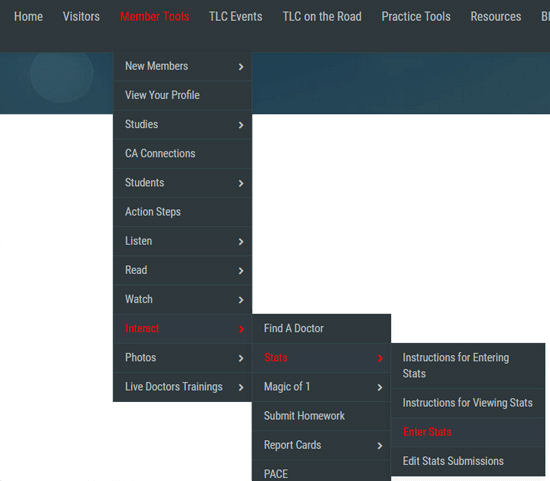
- Hover over MEMBER TOOLS > INTERACT > STATS > ENTER STATS
- Enter your email (or wherever you would like to have your stats emailed to you).
- Select the Month you are submitting for and make sure the correct year is showing.
- Put your name (whether it is the doctor or CA) for the submitter, so if there are any questions, we know who to contact in your office.
- Enter your stats! Please do not use any commas, $ signs, or decimal points. Do not enter any change/cents. Round off to the nearest dollar. Please enter a 0 (zero) for any numbers you do not have. Do not leave a blank entry. Dynamic stats will populate automatically.
- BEFORE YOU CLICK ON "SUBMIT", please double check the numbers you entered. If you enter something incorrectly, you may edit the submission by following the steps below.
Editing your Stats Submissions:
- Log onto the TLC website
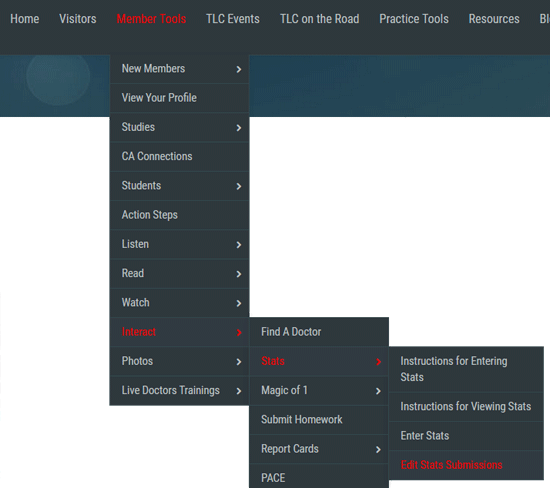
- Hover over MEMBER TOOLS > INTERACT > STATS > EDIT STATS SUBMISSIONS
- You will see a list of your submissions. Find the submission you would like to edit and click on the edit icon

- Make your changes and hit "Save"
|